Most designers look at Claude Code and see a terminal. They see something built for engineers, requiring commands they don’t know, producing output they can’t trust. The assumption is reasonable. The name has “code” in it.
That assumption is wrong. And in Porto, we spent four days proving it.
The setup
Automattic’s design org meets in person every other year. This year the entire meetup was an AI atelier: 63 designers, four days, one goal: everyone walks away with a Claude Code workflow they can actually use. Not a slide deck of AI capabilities. Not a demo they watched. A workflow they built themselves.
The point of the atelier is a working studio. Learn by doing. An intro to orient the room, then hands on. I worked with the design experience team and a group of AI pioneers across the org to design the curriculum, then facilitated every day. It was a true honor.
We made one deliberate choice: we started with Claude Code desktop, not terminal. Some designers had never opened a terminal in their careers. Starting there would have meant spending the first session on anxiety instead of curiosity. Desktop removes that barrier. You can always move to terminal later, and you will want to, but that’s not the first conversation.
Four days
Day one was foundations. Designers paired up, cross-team and cross-discipline, brand and product together. The brief was simple: try something. A real project, a side thing, whatever was sitting on your desk. Just get it open and start talking to it.
Once they had something running, I ran a short session on prompting strategies: plan mode, the lost in the middle effect, CLAUDE.md. Then they dove back in. The point wasn’t to transfer knowledge. The point was to give them just enough scaffolding that their next thirty minutes would go better than the first thirty.
Day two pushed further. We installed context-a8c, an MCP that lets Claude read your Linear tickets, P2s, and Slack threads. Now the agent has context about your actual projects, not just what you paste in. We ran breakout sessions on GitHub workflows, the Figma MCP, and what these tools mean for the designer-developer relationship. This was the harder day. Getting MCP set up requires more steps and more things can go wrong.
Day three was open studio. Pairs, making things. We called a break midway through and nobody moved. Heads stayed down, conversations kept going. I felt great. I’d done my job and gotten them hooked.
I used the time to build out an Automattic design plugin marketplace, a place for the org to share Claude Code skills with each other, which we’ll release to the community in the coming days. Others worked on real projects. The room was loud in a good way.
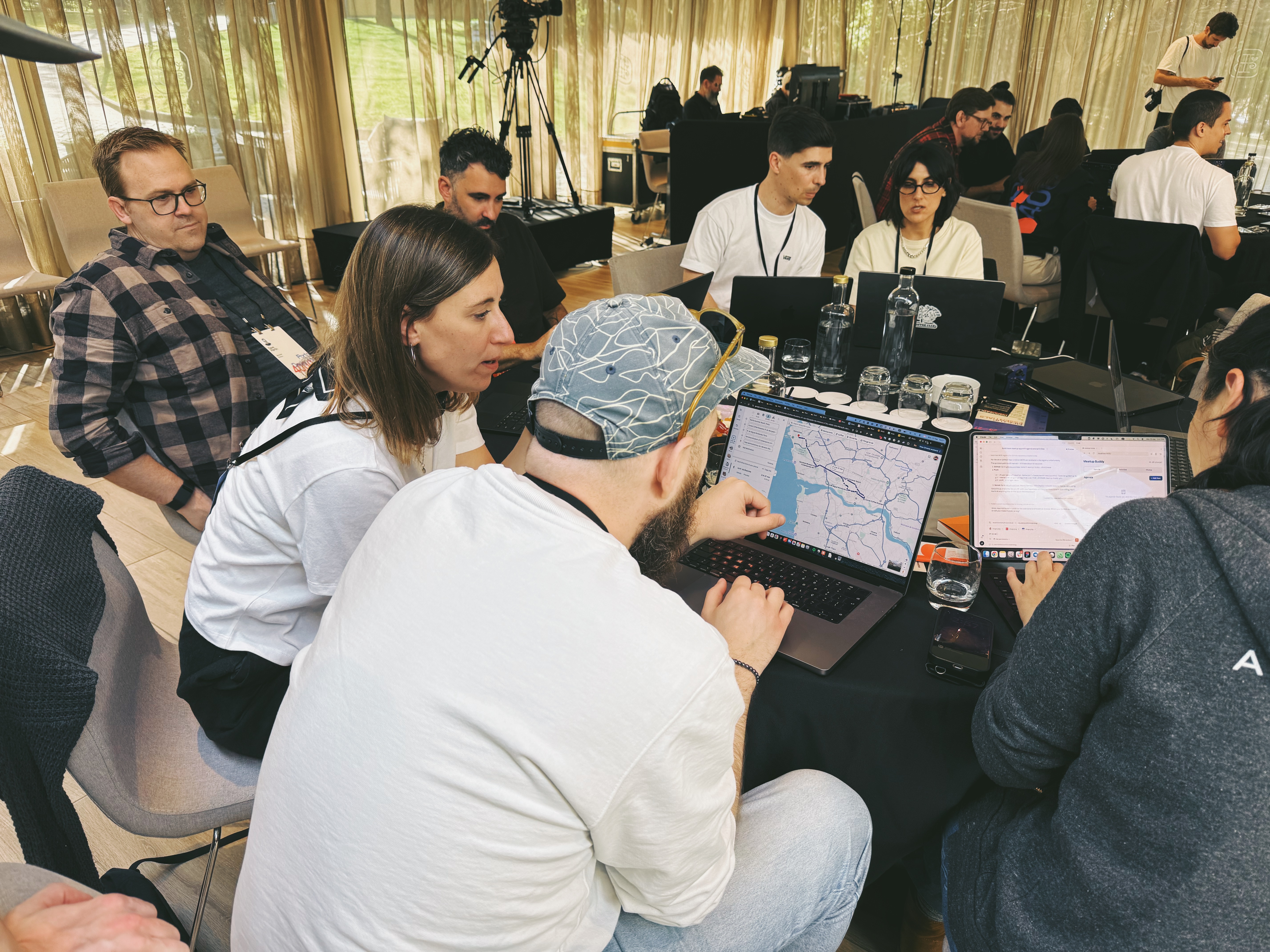
Day four was demos and an AMA with design leadership. Designers showed what they built. Leadership listened and asked questions. That part matters because it signals that this isn’t a side experiment. The org is paying attention.
What was hard
MCP setup was the biggest friction point. Not the concept, the mechanics. Depending on how Claude Code is configured, some designers couldn’t install MCP servers through the desktop app. Terminal solves this, but terminal is the thing we were trying to defer. It’s a real limitation and worth knowing about before you run something like this.
The other thing that stayed fuzzy was skills: how to write them, when to reach for them, what makes a good one versus a prompt you just type, and most importantly, how to share them. The marketplace will help because seeing examples is more useful than explaining the concept. I’ll take these observations towards future posts and explore the UX of getting them set up.
What changed
We set three goals at the start of the week: demystify Claude Code, give everyone a working workflow, and leave with the curious builder mindset. We hit all three.
That last one is harder to measure but easier to see. By day four, designers who had never opened a code editor were describing how they wanted to use agentic tools in their design process. Not “I could imagine using this someday,” but “when I get home” and “I want to try this with the Figma MCP on the project I have next week.”
Talking with my colleague Filipe afterwards, I couldn’t help but feel the Flash days. As the week went on, the conversation shifted from AI itself to making, building, and collaborating. AI was just part of the flow. A lot less anxiety than day one. A lot more empowerment.
Beyond the atelier, I’m grateful for the chance to teach, to facilitate, to be trusted with the week. And grateful for everything that happened outside the sessions: seeing each other in person, the dinners, the late conversations. That part is irreplaceable.
What’s next
We’ll be open-sourcing the full curriculum in the coming days, and I’ll be writing a deeper guide on design.blog on how to run something like this at your org. First, some rest and a few more neighborhoods of Porto to explore! Stay tuned.
In the meantime, if you’re planning to level up your org and want to talk through it, reach out.